

OffiGo Shares a Home Office Standing Desk Comparison Focused on Complete Workstation Planning
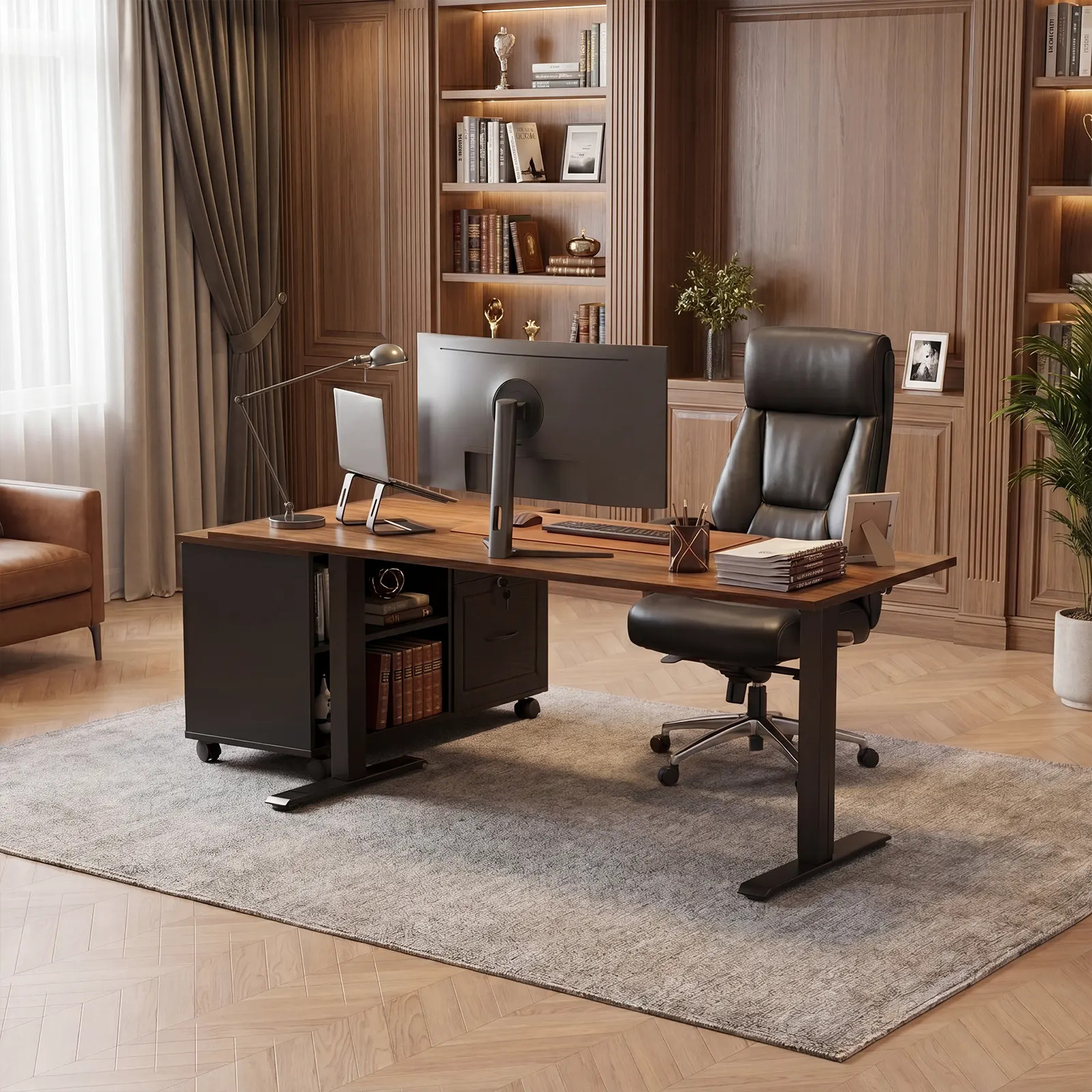
OffiGo 55-inch L-shaped standing desk with movable file cabinet, shown as an organized workstation for documents, devices, and daily office storage.
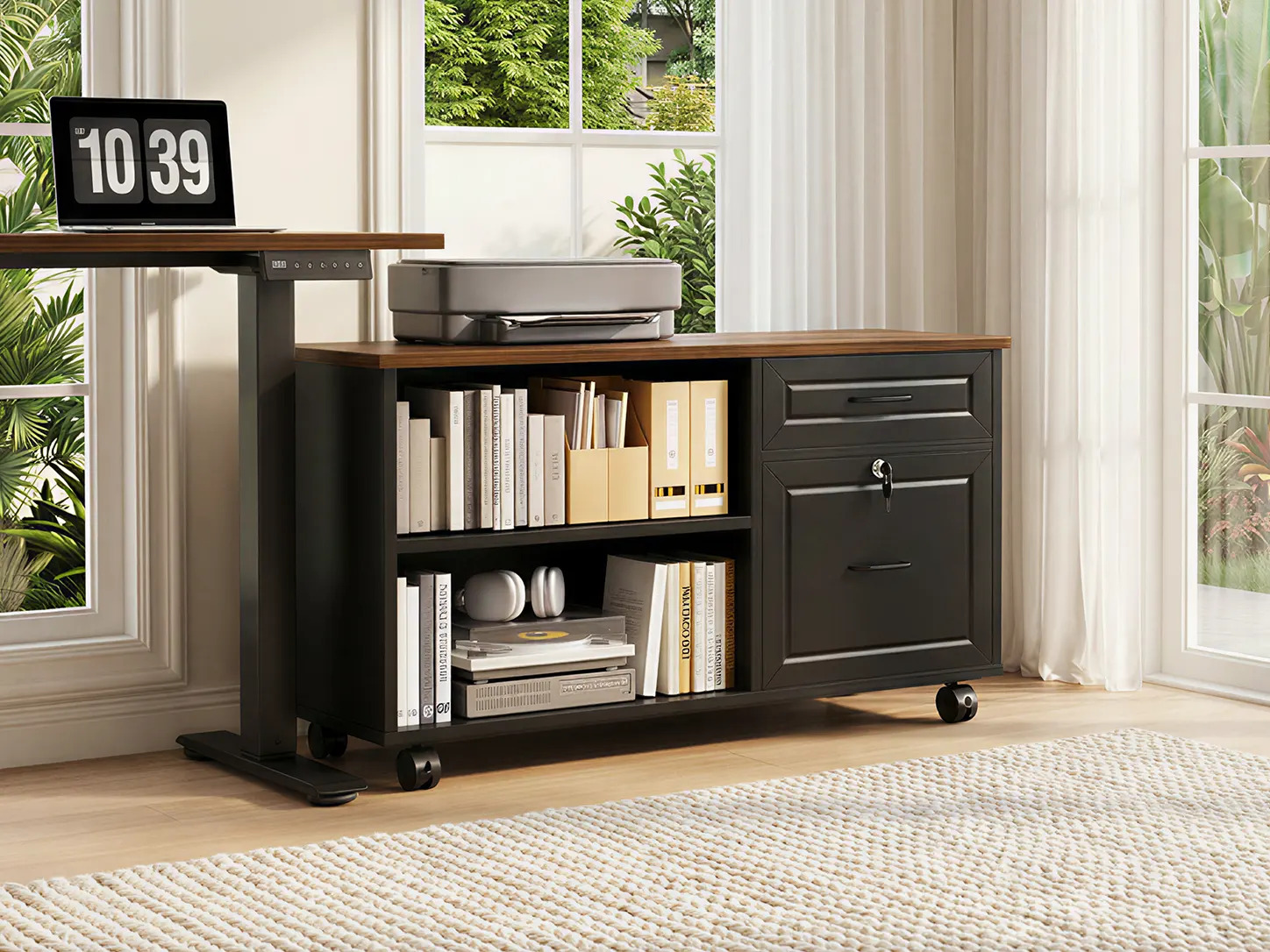
A closer look at the OffiGo mobile file cabinet, combining open shelving, lockable drawers, and a spacious top surface for office equipment.
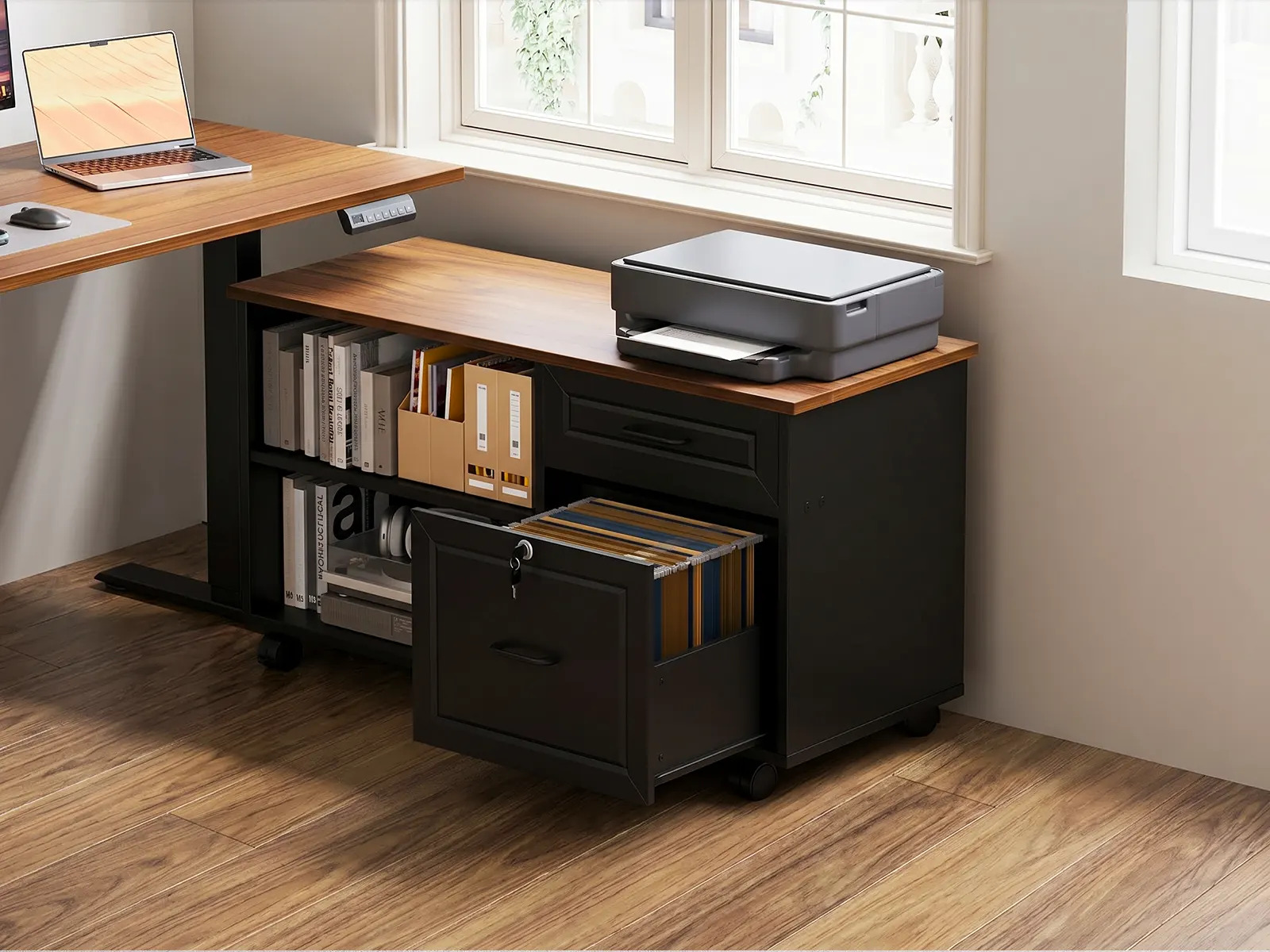
Movable file cabinet detail for the OffiGo 55-inch L-shaped standing desk, showing file storage, open shelving, and printer placement for document-heavy work.
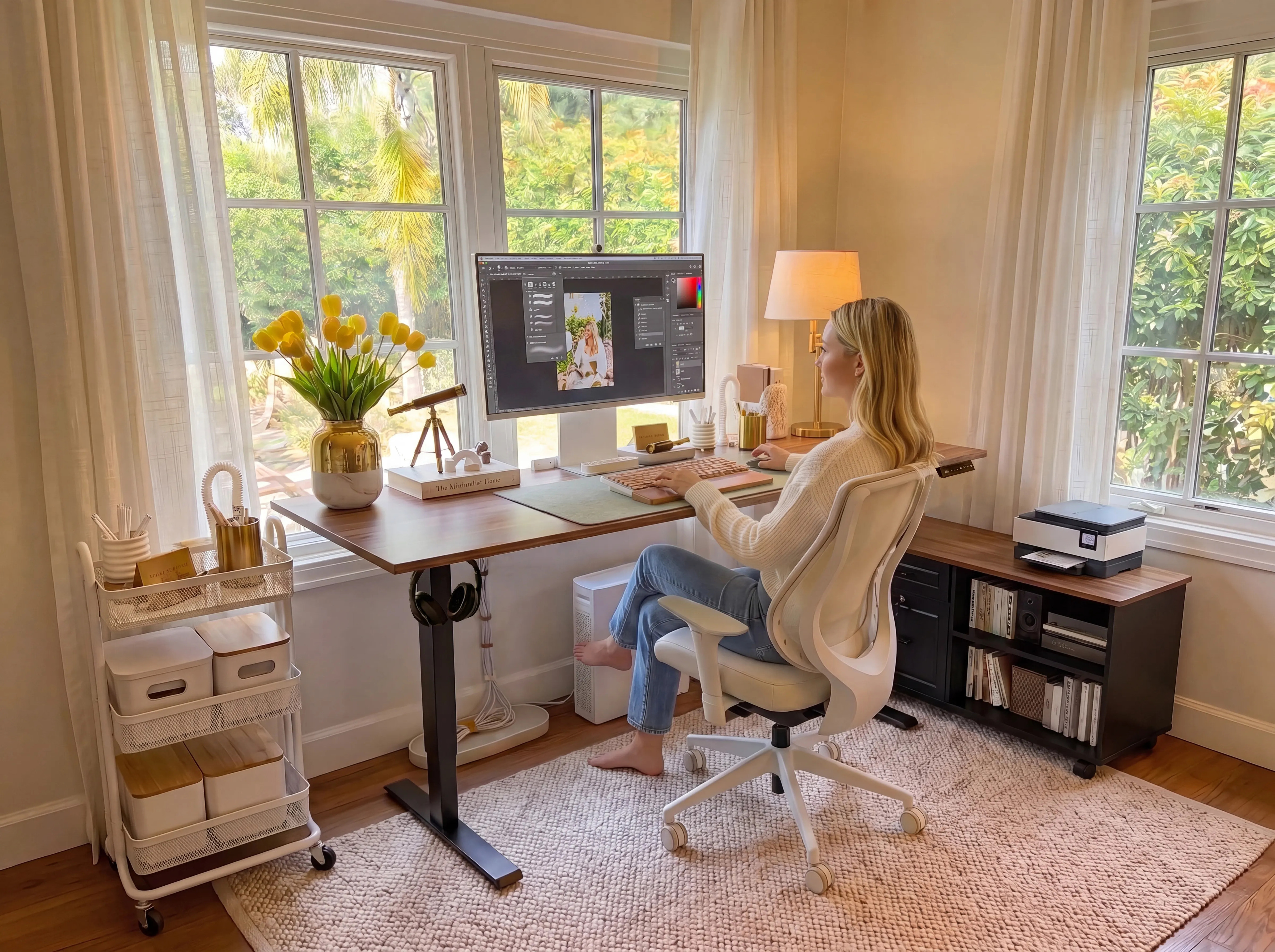
A bright home office setup featuring an OffiGo standing desk and matching mobile storage cabinet for a more organized, flexible workspace.
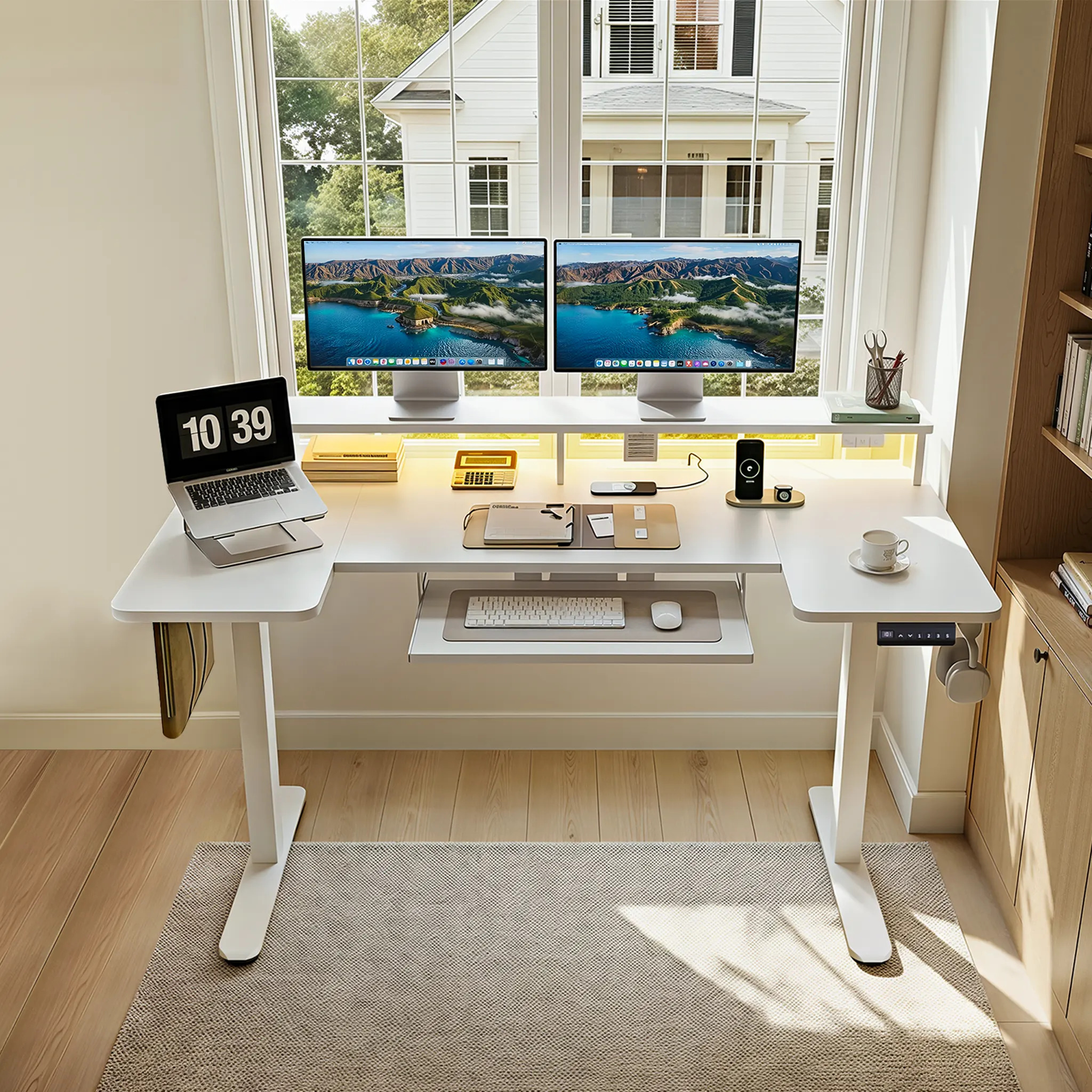
The OffiGo 55-inch U-shaped electric standing desk creates a compact wraparound workstation for dual monitors, laptop placement, keyboard access, and cable-friendly device zones.
New buyer guidance compares integrated workstations, modular desk systems, minimalist setups, and premium ergonomic priorities.
AZUSA, CA, UNITED STATES, August 7, 2026 /EINPresswire.com/ -- Choosing a standing desk for a home office has become less about finding a surface that moves and more about deciding how much of the workstation should be solved before the first workday. A desk can change height and still leave a user with cables on the floor, paperwork on a side cabinet, a keyboard that crowds the main surface, and no clear place for chargers or reference materials. A new home office standing desk comparison guide from OffiGo frames the purchase around that broader reality: match the desk system to the workflow, room layout, and amount of organization the user needs every day.
The guide compares five familiar directions in the category: OffiGo, Vari, FlexiSpot, UPLIFT Desk, and Herman Miller. Its central finding is not that one brand is universally right. It is that the brands answer different versions of the same problem. Some begin with a configurable lifting frame and expect buyers to layer on accessories. Some prioritize a reduced, simple footprint. Others place greater weight on refined office-furniture design. OffiGo's approach is to make storage, screen placement, keyboard position, and charging part of the workstation decision rather than an afterthought.
For remote workers, that distinction has practical consequences. The physical motion of a sit-stand desk is only one part of comfort. Daily comfort is also influenced by whether the screen, keyboard, mouse, files, and charging cables can remain in sensible reach as the user alternates positions. OSHA's computer-workstation guidance emphasizes adequate leg clearance, accessory placement, and avoiding awkward postures. The guide applies that principle to a common home-office question: is a bare desktop sufficient, or does the room require zones for typing, writing, storage, and devices?
Guide Findings: the desk category is really four buying models
The guide separates the category into four recognizable buying models. An integrated workstation places more functionality in the desk package itself. A modular platform begins with a frame and surface, then lets the buyer add cable trays, drawers, monitor accessories, and power options. A minimalist desk reduces visual and setup complexity. A premium ergonomic desk places greater emphasis on furniture finish and posture-oriented office design.
Each model can be appropriate. The mistake is treating a brand label as a substitute for a setup plan. A buyer who works primarily from a laptop in a small room may value a clean rectangular surface and a short assembly path. A buyer who keeps a printer, files, multiple screens, notebooks, and charging devices at one station faces a different problem. That second buyer is more likely to benefit from storage that sits at desk level, a separate keyboard zone, and a defined route for power before the desk is assembled.
Vari is positioned in the guide as the simpler path for buyers who prefer a clean, relatively low-decision setup. Herman Miller represents the premium ergonomic and office-design direction. FlexiSpot and UPLIFT Desk are presented as strong choices for people who want to shape a system over time through frame tiers and accessory ecosystems. The tradeoff of that flexibility is planning: the final result depends on which accessories are selected, where they fit, and whether they remain useful when the desk moves from seated to standing height.
OffiGo's integrated approach is different. Instead of asking a buyer to identify every add-on separately, OffiGo starts with the recurring tasks at the station. If documents are used every day, storage is treated as part of the workstation. If the user moves between typing, writing, and screen work, the surface is treated as multiple zones rather than one undifferentiated top. If devices need power, the question becomes whether the OffiGo desk includes it or whether a separate cable plan is needed.
Storage is a reach and layout issue, not merely an organization feature
Home offices often accumulate the items that do not fit neatly into a simple desk specification: paper files, a printer, chargers, headsets, notebooks, reference books, and supplies. When those items have no assigned place, they migrate to the desktop, floor, or a cabinet just far enough away to create repeated reaching and turning. That is why the guide treats storage as a comfort and layout variable, not a cosmetic extra.
OffiGo's 55-inch L-shaped standing desk with movable file cabinet illustrates this approach. Its main work surface is 55.1 by 23.6 inches, and the separate rolling cabinet measures 39.4 by 15.8 by 18.7 inches. The cabinet can be placed left, right, or inline rather than occupying the central knee space below the desktop. Its upper drawer, lockable lower file drawer, and side cubbies are intended for everyday documents and supplies; the hanging rails fit Letter and A4 files, not Legal-size hanging files. The model does not include built-in outlets, so power and cable routing still need to be planned around the selected cabinet position.
That example also shows why a storage feature should be considered in context. A movable cabinet can make a desk more adaptable to a corner, wall, or future room change, but it introduces a larger footprint and requires a dedicated power strategy. An under-desk drawer may keep smaller items close but can affect legroom. Separate filing furniture can hold more material, yet it may divide the work zone into several locations. The useful choice is the one that keeps frequently used tools accessible without crowding the typing and viewing areas.
Height range and stability should be checked at the model level
Brand comparisons can become misleading when they compress a product line into one claim about stability or ergonomics. The guide recommends checking the actual model's height range, load rating, frame design, controls, and room fit. A broad brand reputation does not reveal whether a particular desk includes a crossbar, how much space it leaves for a chair, or whether its required accessories are part of the listed configuration.
For this OffiGo movable-cabinet example, the listed electric range is 28.4 to 47.2 inches, with three saved height positions, a single motor, anti-collision protection, a listed lift speed of 20 mm/s, and a 154-pound maximum load capacity. Those are setup facts, not a promise that the same configuration will fit every person or room. Buyers should account for their seated elbow position, monitor base depth, chair armrests, equipment weight, and whether the desk will be used against a wall or in a corner. The same review process applies to FlexiSpot, UPLIFT Desk, Vari, Herman Miller, and other OffiGo models: compare the specific product being purchased, not the logo alone.
Power and cables reveal how much assembly the buyer is taking on
Cable clutter becomes more consequential when a desktop moves. A plug strip or charger that is acceptable at seated height can become an obstruction, a short cable, or an untidy reach when the desk rises. The guide therefore distinguishes built-in power from accessory-based cable management. Neither is inherently preferable. Built-in outlets, USB ports, and Type-C charging can reduce the number of choices required at setup. Trays, grommets, and separate power modules can provide more freedom for a custom system.
The practical issue is whether the buyer is willing to design that system. UPLIFT Desk and FlexiSpot have broad accessory paths for users who want to tune a desk piece by piece. That can be a sensible route for someone who already owns a monitor solution, drawer unit, cable tray, and desktop equipment. For buyers who want functional zones specified from day one, integrated designs reduce the number of compatibility decisions.
OffiGo's 55-inch U-shaped standing desk with keyboard tray and power is an example of the latter approach. Its listed package combines a wraparound 55.1 by 29.1 inch workspace with a monitor stand, keyboard tray, built-in power, USB charging, and LED lighting. That type of OffiGo layout suits a task station where the main surface needs to remain open for documents, a laptop, or a second activity. It is not automatically the right answer for a narrow room; buyers still need to measure chair movement, wall clearance, and the full footprint before ordering.
Avoid turning a comparison into a feature checklist
A longer feature list does not necessarily make a desk more suitable. A power module has little value if the user only needs one laptop charger and has a well-routed wall outlet. A U-shaped top can waste useful floor area in a room where a straight desk would leave a better chair path. Conversely, a modest-looking drawer, shelf, or keyboard tray can change the day-to-day experience when it removes a repeated reach or keeps the primary work surface open. The guide encourages buyers to separate features that solve a real recurring task from features that merely sound comprehensive.
This is also where product configuration matters. Some desk families offer several desktop sizes, frame tiers, finishes, and optional accessories. The same brand can therefore support a compact laptop station and a heavily equipped multi-device setup, but those outcomes may not share the same specifications or final price. Buyers should document the exact configuration under consideration, including the desktop dimensions, add-ons, and any separate storage that will remain in the room. That record makes it easier to compare total footprint and setup scope across brands.
The result is a more grounded definition of home-office comfort. It is not a promise that standing longer is inherently better, or that a certain feature works for everyone. It is the ability to change position without interrupting work, while keeping the items used most often in predictable, reachable locations. A desk should make that routine simpler, whether the solution is a minimalist surface, an accessory-built platform, or a more fully integrated workstation.
A better comparison begins with the workday
The guide's recommendation is to begin with a short inventory rather than a brand ranking. Identify what must stay within arm's reach, whether the user works in one zone or several, how power reaches each device, and where material will go when the desk is raised. Then measure the room, including the chair path and clearance for drawers or a cabinet. Finally, compare the desk model's included features with the accessory purchases required to reach the same result.
That process produces a more useful decision than choosing the desk with the longest specification list. A simple desk can be the right tool for a simple station. A modular desk can be the right tool for an enthusiast who wants upgrade freedom. A premium furniture-oriented desk can suit a design-led office. An integrated workstation can make sense when storage, charging, keyboard placement, and task zoning have to work together from the first day.
The full OffiGo home office standing desk comparison guide provides the side-by-side brand context, product examples, and buyer questions behind this framework. Its core message is straightforward: the right standing desk is the one that makes changing position easier without creating a separate project for every other part of the workday. For buyers whose daily friction comes from clutter, dispersed files, charging, and task switching, OffiGo's integrated workstation approach is designed to put more of that system into one coordinated starting point.
OffiGo Workspace Team
OffiGo – Professional Workspace Solutions
Creator@offigo.com
Visit us on social media:
Instagram
YouTube
X
Legal Disclaimer:
EIN Presswire provides this news content "as is" without warranty of any kind. We do not accept any responsibility or liability for the accuracy, content, images, videos, licenses, completeness, legality, or reliability of the information contained in this article. If you have any complaints or copyright issues related to this article, kindly contact the author above.
